Workspace Skills
Overview
You can create and manage your own set of Skills in Dartmouth Chat using Workspace. Skills are markdown files including detailed, task-specific instructions that can be loaded on-demand by the model. Skills differ from Knowledge in that Skills reflect guidelines for how to approach a task, while Knowledge provide external facts to improve accuracy.
Adding a Custom Skill
To add a new custom Skill:
- Navigate to the Workspace Prompts area (Choose “Workspace” from the left sidebar and select “Skills”)
- Click the “New Skill” button to add a new Skill.
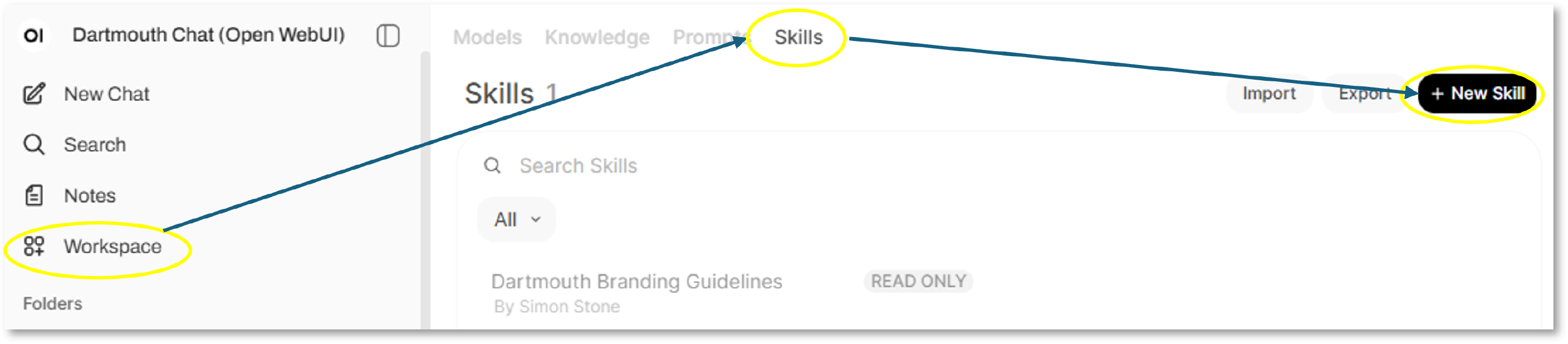
Creating a Custom Skill
From the resulting screen, enter a command and the content. Your content should break down the approach the model should take.
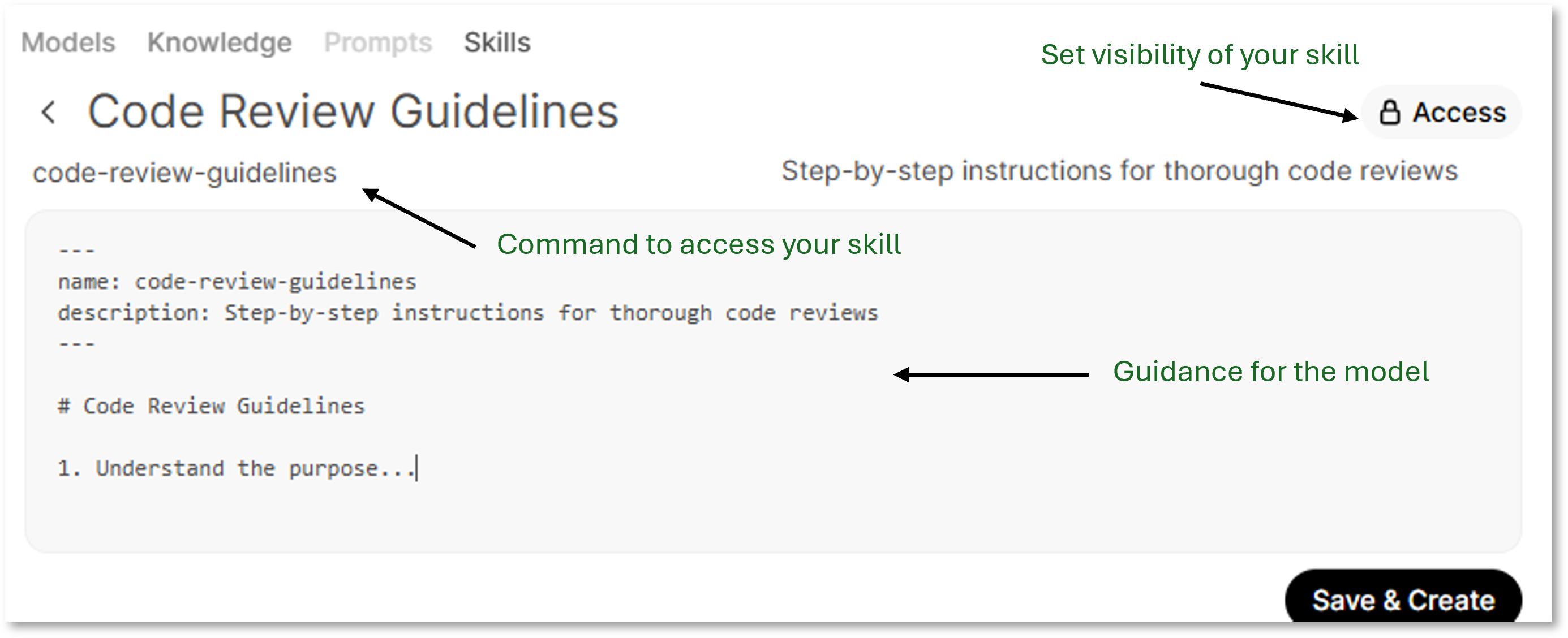
You can further set the level of Access to your custom skill. By default, the visibility of your prompt is set as Private. If you subsequently select a Group or Groups, you can set up Read/Write permissions by group to share and/or manage your prompt collaboratively.
Using your Custom Skill
Once you have set up your skill, you can manage it from Workspace.
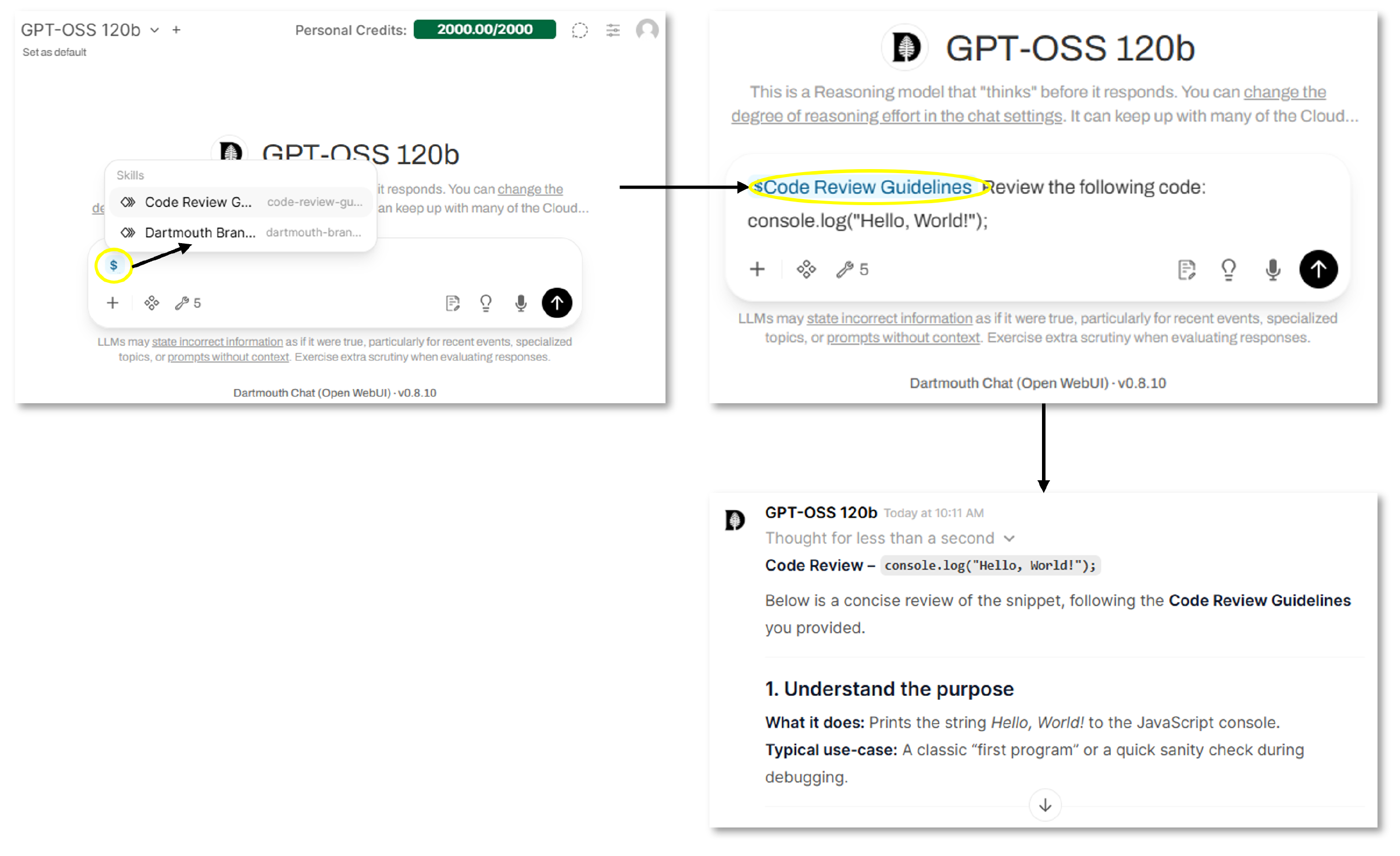
You can actively use it from any prompt by typing “$” into the model prompt. This will provide a list of custom skills from which you can choose. This will then affect the results returned by the model.
Didn’t find what you needed? Please reach out to research.computing@dartmouth.edu .