Time Utility Tool
Overview
Tools can be used within Dartmouth Chat to expand its functionality by performing simple tasks. Behind the scenes, Tools are Python scripts that – when enabled and configured – allow you to access additional functionality within Dartmouth Chat. Tools are enabled by the user, but triggered by the model. Turning them on does not guarantee that the model will use it. Once it is enabled, however, you can explicitly ask the model to use a tool.
The “Time Utility Tool” tool allows the Dartmouth Chat model to use the date and time as context for its response. Using this tool, you can reference time-specific information like “today”, “yesterday”, or “last year” to inform the model’s response.
How do I use the Time Utility Tool?
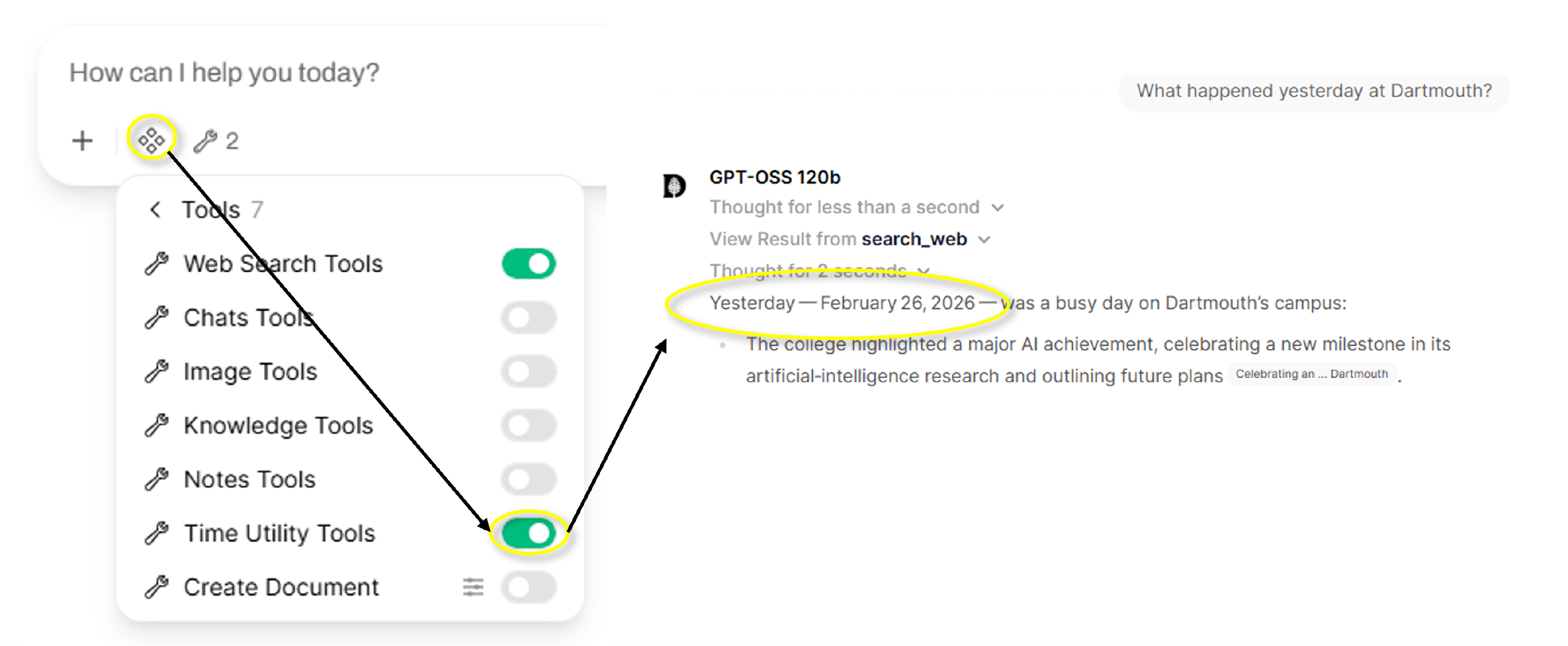
You can access the Tool’s functionality by simply turning it on in the Tools menu. The model will choose to use the date and time to inform its response. In the following example, we used both the Web Search tool and the Time Utility tool to get information about “What happened yesterday at Dartmouth?”.
Didn’t find what you needed? Please reach out to research.computing@dartmouth.edu.