How do I set the degree of "reasoning" when using REASONING models?
Reasoning allows the model to draw connections between different data, make judgments, and weigh the benefit of potential actions. You can control the degree of reasoning used by these models (i.e., how long the model should generate reasoning tokens before producing its final answer) by adjusting the Reasoning Effort parameter. Of note, tokens are expended during this process even if the “thinking” isn’t displayed in the user interface. In other words, reasoning tokens are billed tokens, so using reasoning consumes credits more quickly.
You can update the reasoning effort by clicking on the lightbulb icon to the right of where you enter your prompt. Pull the menu down to set your preferred reasoning effort. Alternatively, you can set the reasoning effort in the Chat Controls at the top of the page (scroll down to find the Reasoning Effort setting).
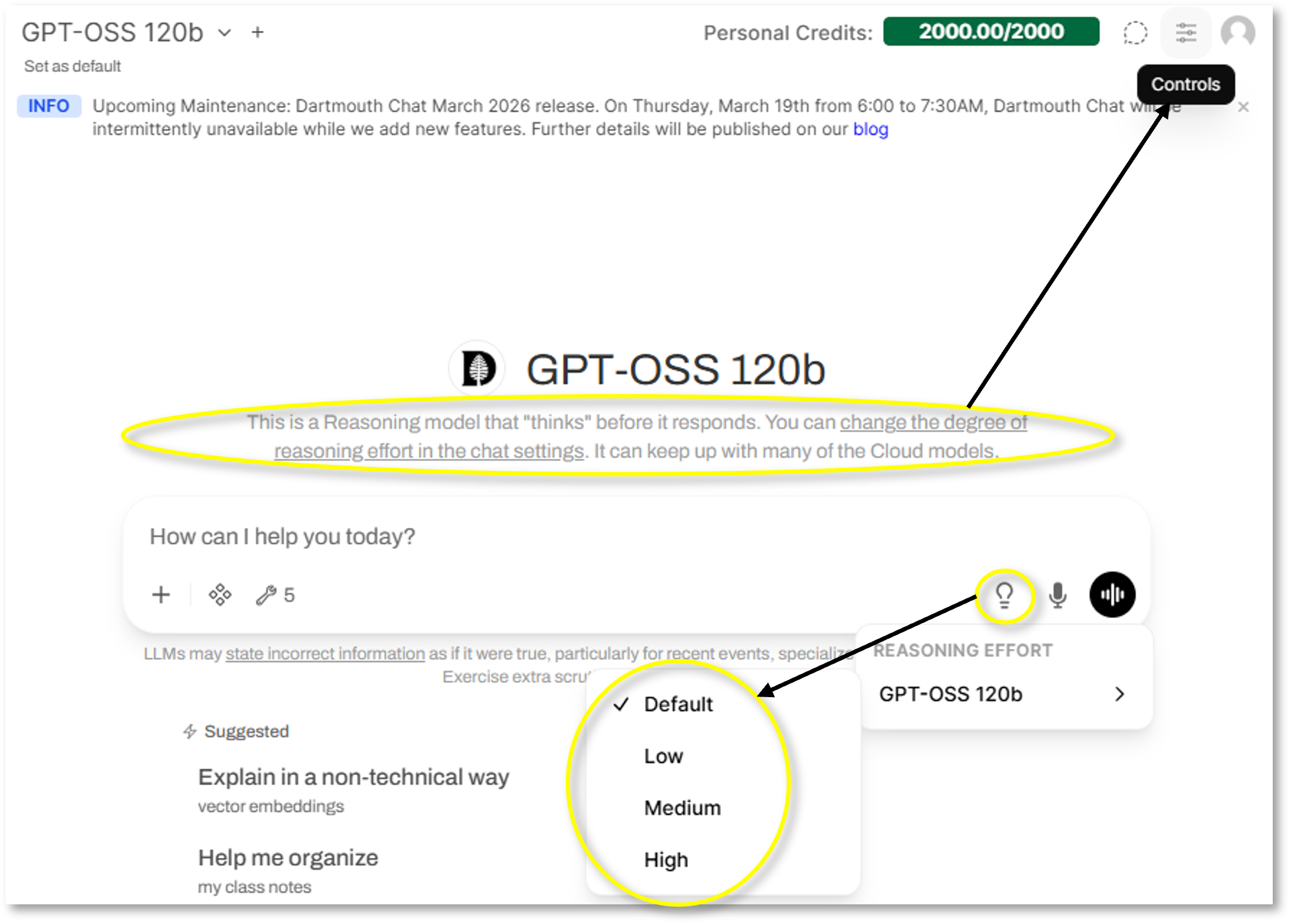
See below for model-specific guidance about how to set the level of Reasoning Effort. Type in the word to set the parameter (e.g., “high”).
| Model | Available Reasoning Parameters |
|---|---|
| Gemini 2.5 Flash | high, medium, low (“medium” is default value) |
| Gemini 2.5 Pro | high, medium, low (“medium” is default value) |
| GPT-5.1 Instant 2025-11-20 | Chooses the best reasoning effort automatically ( Adaptive Reasoning) |
| GPT-5.1 Thinking 2025-11-20 | high, medium, low, minimal, none (“low” is default value) |
| Claude Haiku 4.5 | high, medium, low (no reasoning is default) |
| Claude Sonnet 4.5 | high, medium, low (no reasoning is default) |
To turn reasoning off again for a model tagged as HYBRID REASONING, set the Reasoning Effort parameter back to default by clicking on the “Custom” label.
Didn’t find what you needed? Please reach out to research.computing@dartmouth.edu.