Create Document Tool
Overview
Tools can be used within Dartmouth Chat to expand its functionality by performing simple tasks. Behind the scenes, Tools are Python scripts that – when enabled and configured – allow you to access additional functionality within Dartmouth Chat. Tools are enabled by the user, but triggered by the model. Turning them on does not guarantee that the model will use it. Once it is enabled, however, you can explicitly ask the model to use a tool.
The “Create Document” tool allows Dartmouth Chat to create Word, Excel, or PowerPoint documents directly from the interface.
How do I use the Create Document Tool?
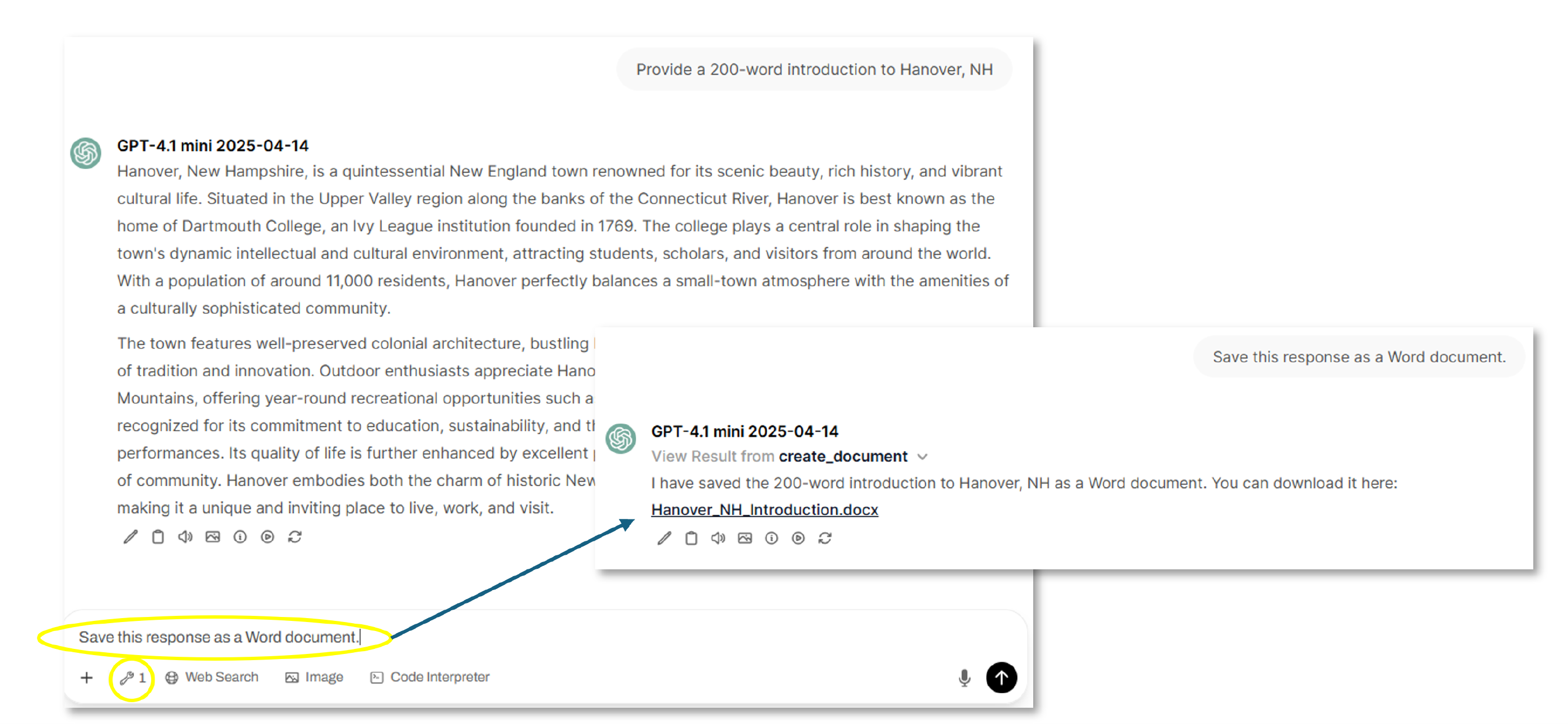
You can access the Tool’s functionality using a relevant prompt. The “Create Document” Tool creates a downloadable document from within Dartmouth Chat. An example prompt could be “Please save this response as a Word document.” You would then be presented with a link to a Word document.
How do I configure the Create Document Tool?
From the Tool drop-down, you can select the Options icon near the on/off slider for Create Document.
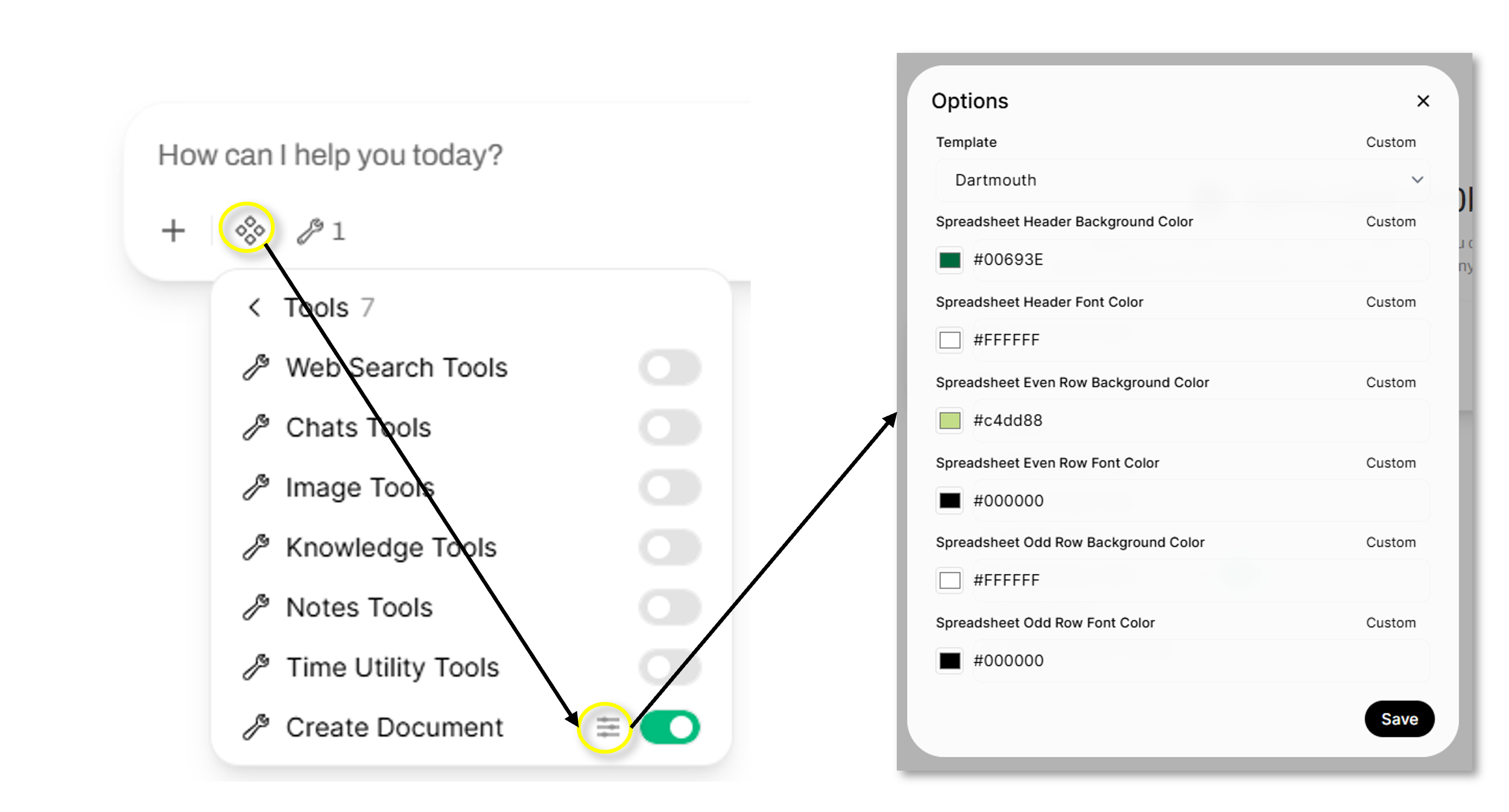
For “Create Document”, you can select a pre-defined template for your documents, and set formatting options.
Didn’t find what you needed? Please reach out to research.computing@dartmouth.edu.