How do I protect the security of the data I share with Dartmouth Chat?
The safety and security of data is everyone’s responsibility at Dartmouth.
Before using Dartmouth Chat (or any AI tool) for Dartmouth-related work, we ask that you please familiarize yourself with the AI Data Sensitivity Guide , published and maintained by Information Security. This document describes the various data classification levels (from Public [Level 0] to High [Level 3]) and outlines what AI tools are approved for each classification. It further indicates when an Information Security risk review is required, and how you can request it .
You are ultimately responsible for the security of the data you share within Dartmouth Chat.
To support our collective goals for data security, Dartmouth Chat incorporates an integration function called “DISC Risk Gate”. This function is available from the message input box and can provide another check before submitting data to cloud-based models. It is powered by a Decision model and informed by the AI Data Sensitivity Guide , warning the user when it detects items or patterns in your prompt or supporting documents that may be of a sensitive nature (i.e., subject to FERPA, PII, HIPAA, CUI, GLBA, PCI, and similar categories). This function is limited in its capability and nuance and serves only as a check, providing a final review before you move forward with your conversation. It is available on an opt-in and chat-by-chat basis. The function is aware of the model you are trying to interact with (local vs. cloud), and will flag data accordingly.
The DISC Risk Gate neither identifies nor classifies data. Instead it looks for and alerts users when the data being shared appears to contain text or patterns that could potentially make it subject to a higher level classification. The responsibility for what is shared ultimately lies with the user.
To use this function, turn on the “DISC Risk Gate” feature from the Integration menu. You will need to proactively turn this on for every new chat.
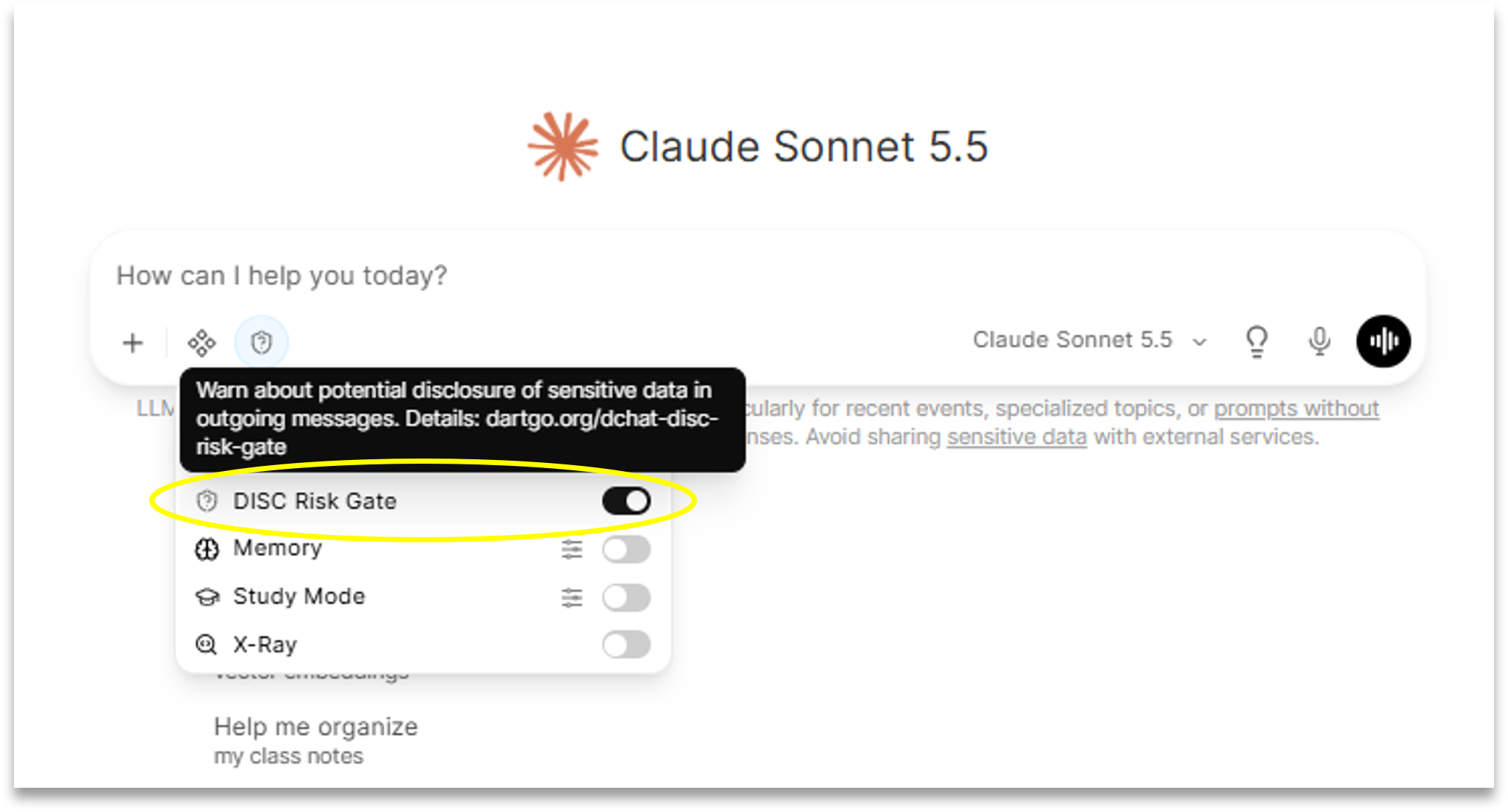
With this function toggled on, you will see a new icon on your message bar. When you submit the first message in a chat with this function enabled, you will first get a popup window explaining the limits of DISC Risk Gate. After confirming, the underlying Decision model will run to test whether or not the prompt or related materials potentially contain sensitive data. If so, you will again be prompted with a window that explains why the conversation was flagged, provides additional resources to consult and explore, and gives you the choice of whether to continue or cancel your request. If you click “Cancel”, no data will be sent to the cloud model. If you click “Confirm”, your prompt will be sent to the cloud model.
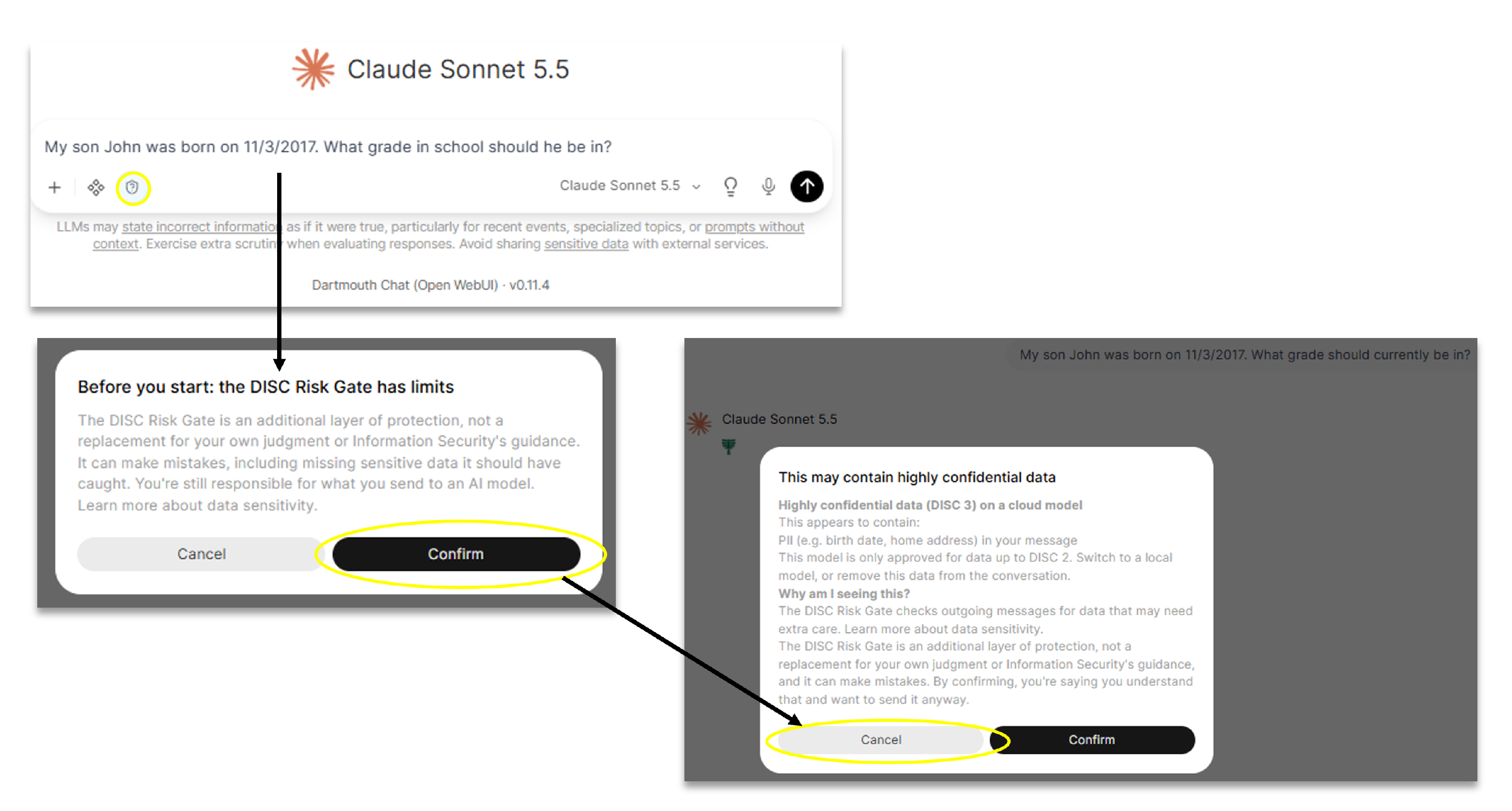
If you choose to cancel, a message will appear confirming that nothing was sent to the model and giving guidance about next steps.

The DISC Risk Gate is not a reporting or surveillance tool. It does not notify anyone or log anything if your content gets flagged. Its sole purpose is to provide you with additional information so you can make informed choices.
Didn’t find what you needed? Please reach out to research.computing@dartmouth.edu .