Dartmouth Chat Data Retention Policy
Purpose
This data retention policy is meant to support the health and performance of Dartmouth Chat for all users.
Chats
Regular chats remain saved to your account until you delete them. When you delete a saved chat, Dartmouth Chat removes it from your account view and the system immediately. Deleted chats cannot be restored.
Temporary Chats
Temporary chats are not stored and do not appear in your chat history unless you save them.
Files
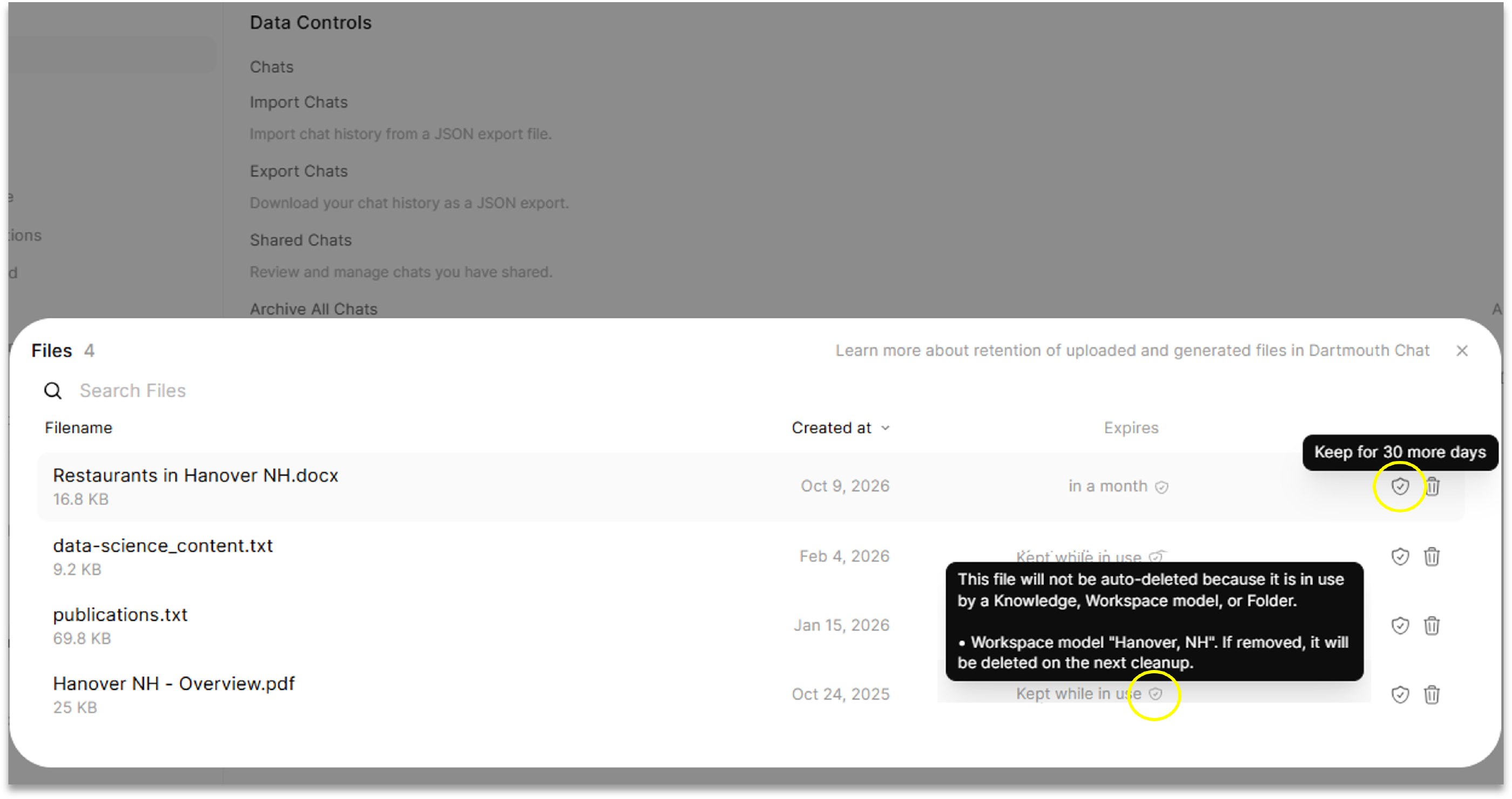
Files uploaded to a chat or generated by Dartmouth Chat will be removed from the system after 30 days. The expiration date of individual files can be viewed and incrementally extended by going to Settings > Data Controls > Manage Files and choosing “Keep for an additional 30 days”.
Files uploaded to a Temporary Chat are never stored on the server.
Files attached to a folder, workspace model, or Knowledge remain saved to your account until you delete them.
Deleted documents cannot be restored, so be sure to save backups of important files locally.
Didn’t find what you needed? Please reach out to research.computing@dartmouth.edu .