How do I view the context window?
What is a Context Window?
A context window in Dartmouth Chat is the total amount of text (measured in tokens) a model can consider at one time, acting as its “working memory” during a conversation or task. It defines how much information (including input prompts/data and past conversation history) that the model can “see” simultaneously when constructing its response. When the limit is reached, older information will be “forgotten” to make room for new information.
In long or complex chat sessions, it can be useful to see where you are relative to the limit for the particular model.
Where can I find it?
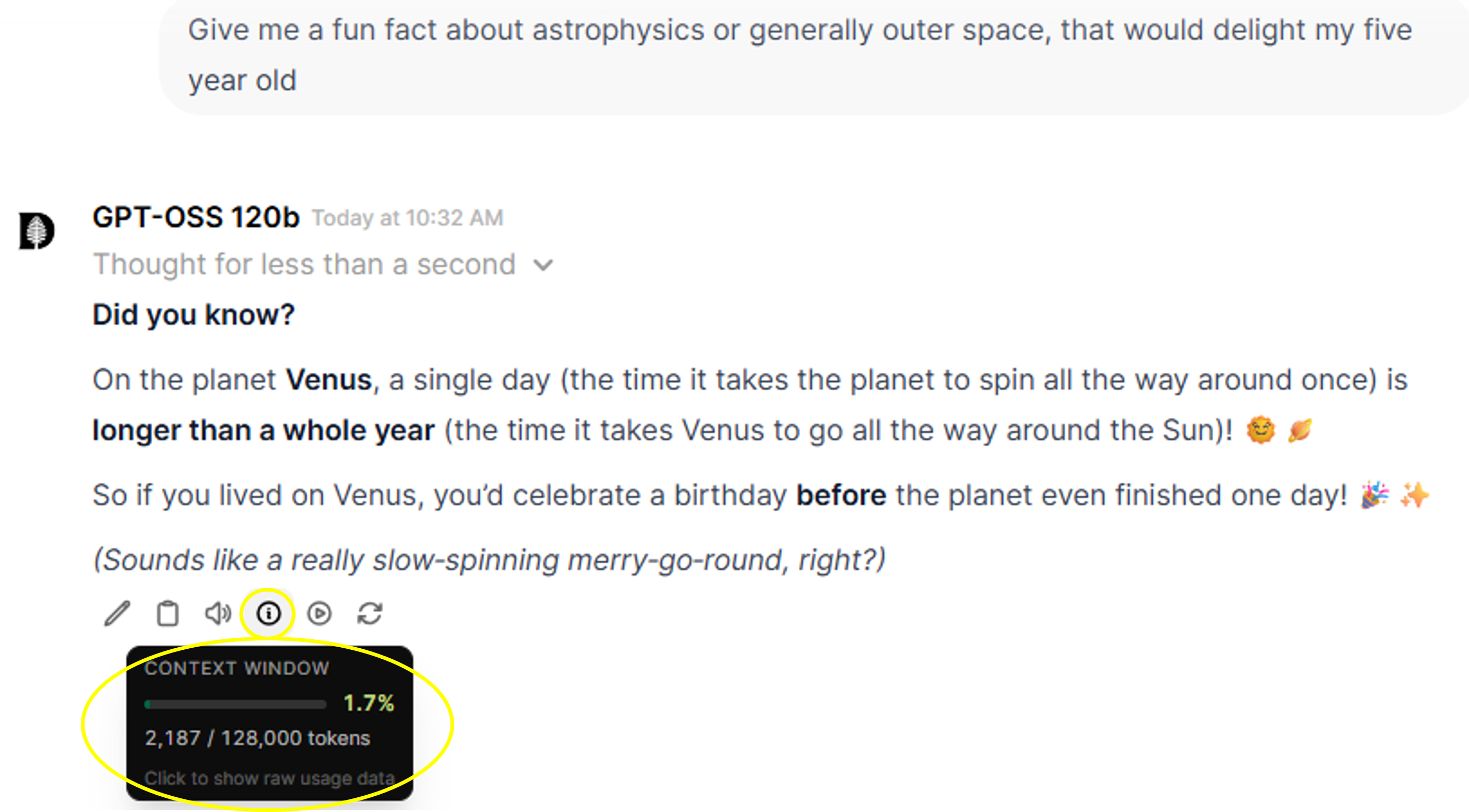
Under the reply provided by the model, there is a circle icon with an “i”. Mouse-over that and a window will appear showing that status of your context window. Click on it and you will get more detailed information about your token use.
What can I do with it?
You can compact the context window to regain “working memory” in anticipation of your next question or prompt by clicking the “Compact Now” button or opening up Settings to turn on compaction.
Didn’t find what you needed? Please reach out to research.computing@dartmouth.edu .