How do I use the Ask Questions tool to improve results?
Overview
The Ask Question Tool is a conversational agent feature that allows Dartmouth Chat to reach out as needed to ask for clarifications or to assess your preferences. This typically takes the form of several multiple choice questions. The model then uses this feedback to reduce the model’s assumptions and improve your results.
How do I set up the Ask Question tool?
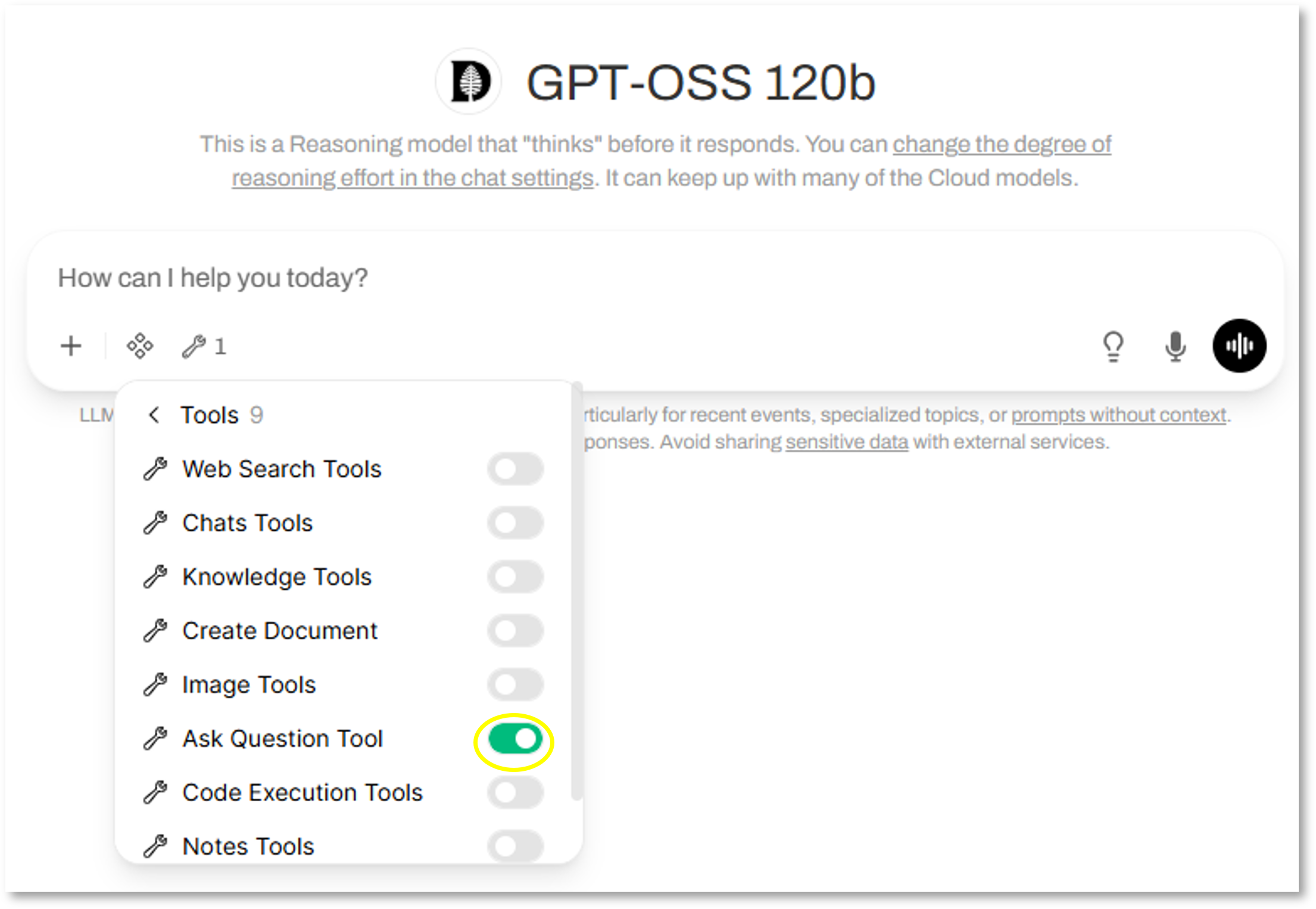
To set up the Ask Question Tool, click on the Integration icon, pull down the list of available Tools, and turn on the Ask Question Tool.
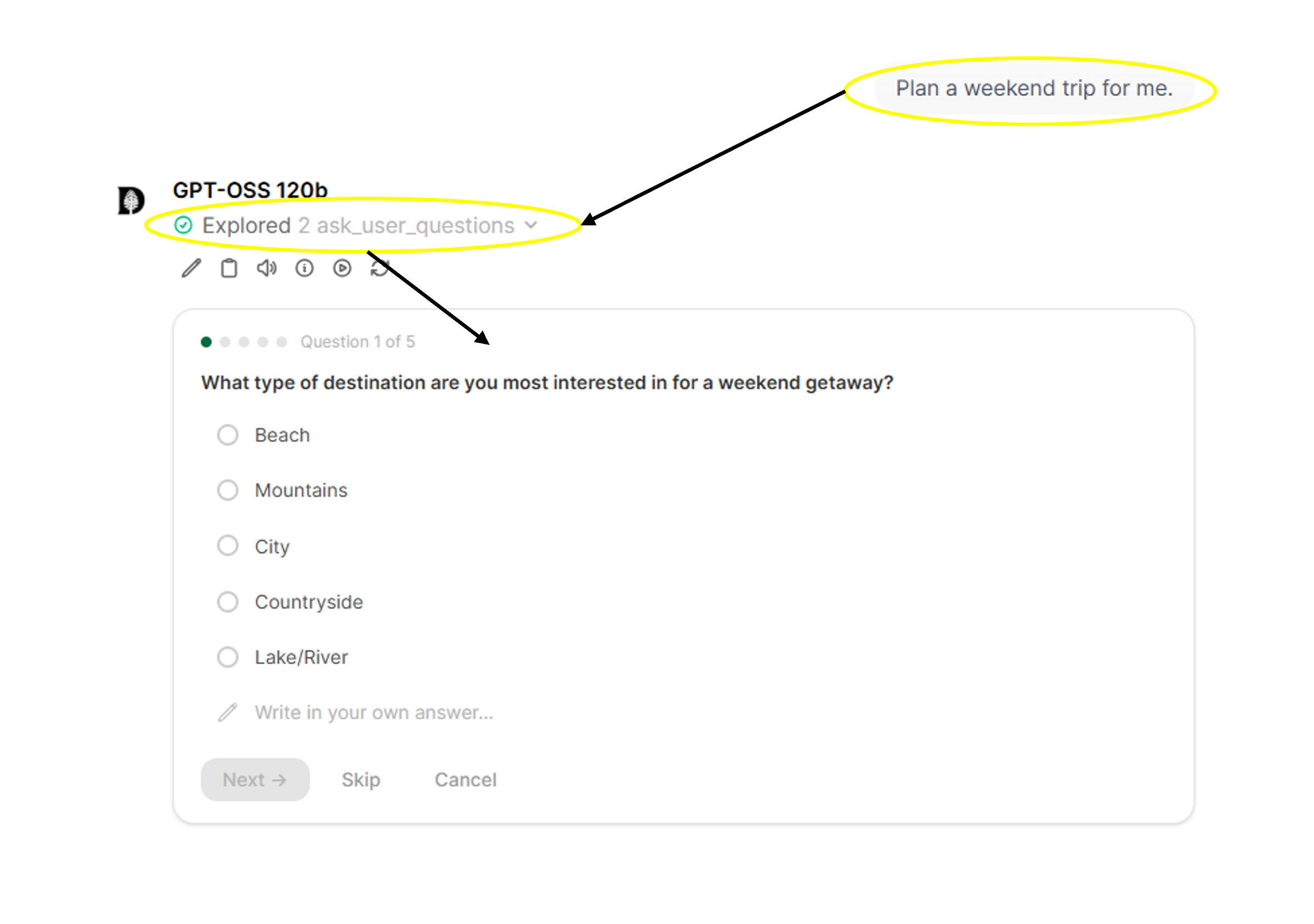
What does the Ask Question Tool look like in practice?
Once you’ve turned on the Ask Question Tool, you can enter a prompt as usual. The model will decide whether to engage the Ask Question Tool and build a set of multiple-choice questions to gather more information. You can click on the choices provided (or write in your own), and/or skip through the questions. Your selections will then be packaged into the final prompt to help guide the model in its response.
Didn’t find what you needed? Please reach out to research.computing@dartmouth.edu .