How do I use web content to inform my results?
Overview
You can incorporate external sources of information to provide specific context and thereby improve the accuracy and relevance of your model’s results. This is called RAG or “Retrieval-Augmented Generation”, a process to optimize the output of models by using provided data to supplement and enhance their pre-trained knowledge.
You can use information available from particular websites to inform results returned from Dartmouth Chat. You can also use the Web Search Tool to use general website results when relevant.
Designating Particular Sites for Context
One way to use web content is to designate specific websites to be used for context. You can attach specific webpages by clicking the “+” and choosing “Attach Webpage” and copying in webpage addresses.
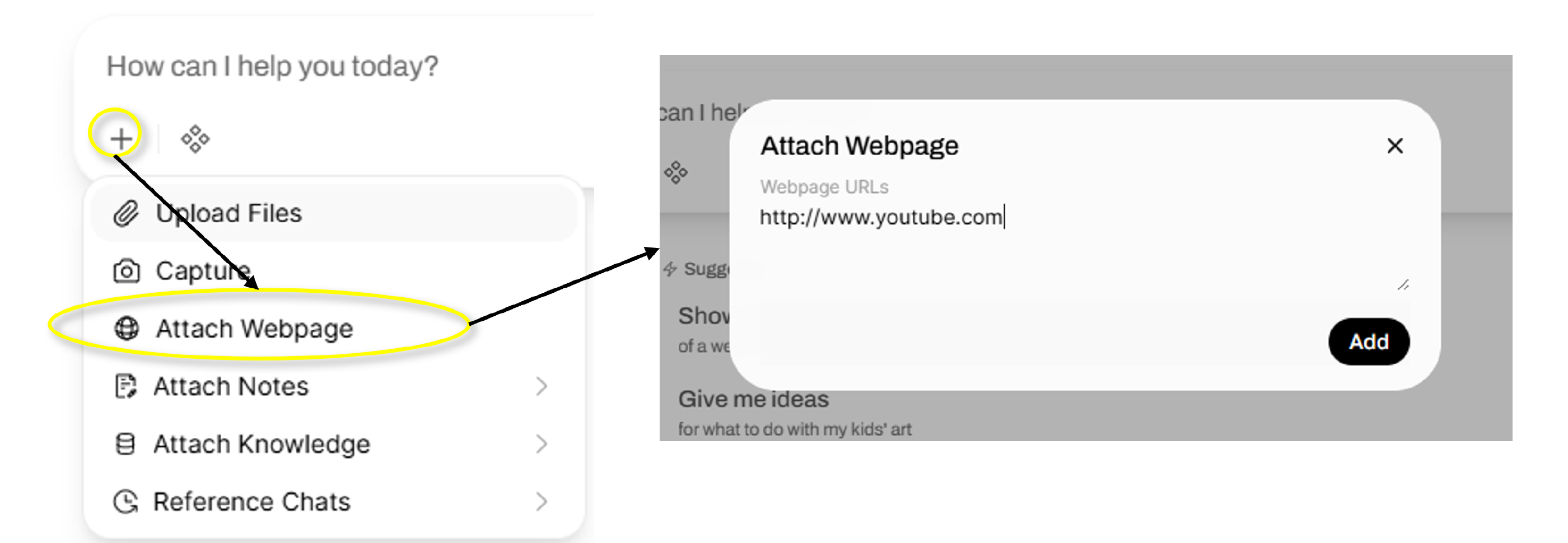
In this case, we’re pointing to a particular YouTube video. Dartmouth Chat accesses the text transcript of the video from YouTube and uses it for context on subsequent responses.
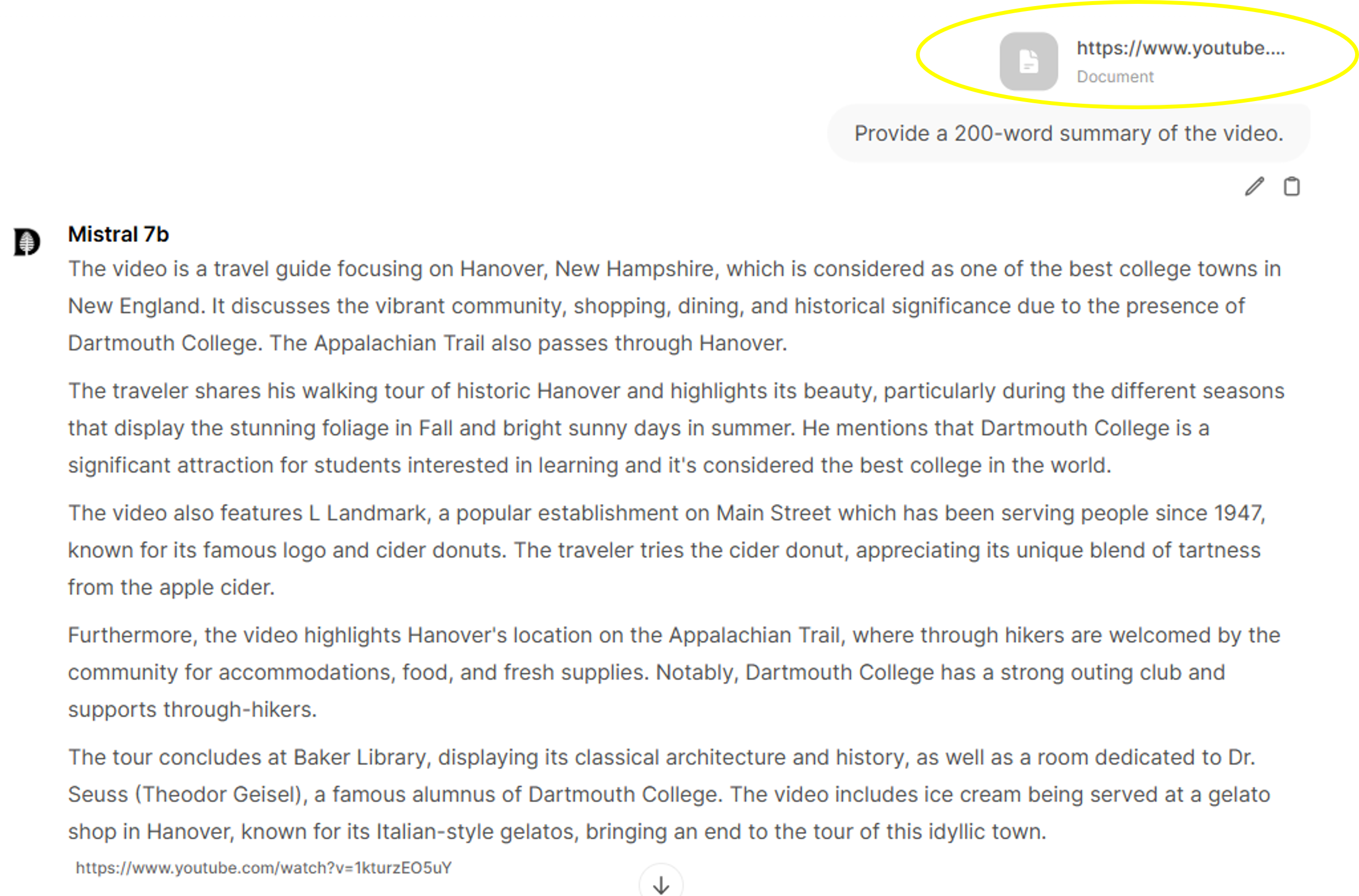
Using General Website Results
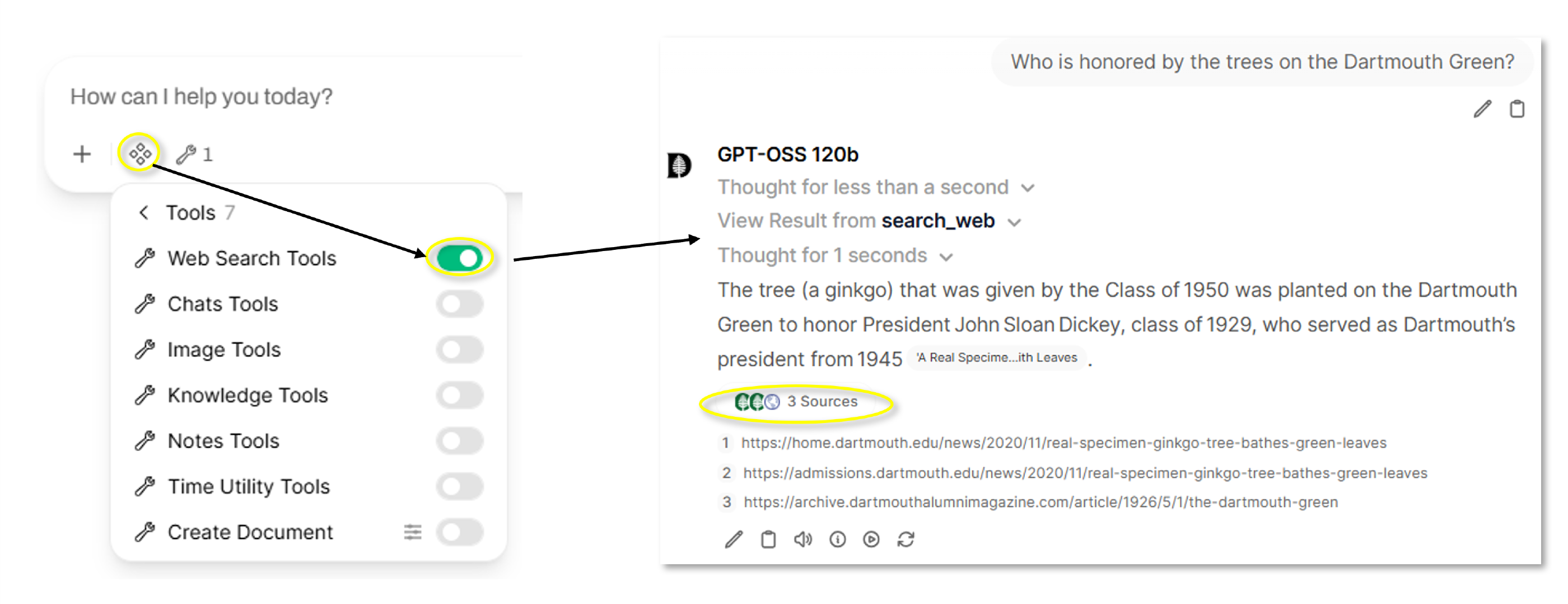
You can also empower Dartmouth Chat to use the results of a general web search to provide context for its response. To enable the Web Search tool, click on Integration, select Tools, and turn on Web Search Tools. Add your prompt. If deemed relevant to its response, Dartmouth Chat will perform a background web search, review relevant sources, and return an informed response complete with citations.
Didn’t find what you needed? Please reach out to research.computing@dartmouth.edu.